Resellers
Shoot 40 items in one session. Every photo already knows which listing it belongs to.
- eBay
- Poshmark
- Depop
- Mercari
- Vinted
Shoot your listings and the sequence number is already burned into the photo — and into the file name. No editing, no renaming, no guessing which photo is which item.

 Coming soon
Screenshots
Who it's for
If your day is a table full of products and a camera roll full of IMG_4821, this is for you. Each card shows the kind of number that group usually works with.
Shoot 40 items in one session. Every photo already knows which listing it belongs to.
When a buyer asks about item 17, you're both looking at the same 17 — on the photo and in the file name.
Lot numbers stay attached from the sorting table to the listing, so pieces never get swapped.
Photo, file name and shelf label carry the same number, so a photo is never separated from its item.
Why sellers use it
Shoot 300 items for a new listing day, and every photo already tells you which item it is — on the image and in the file name.
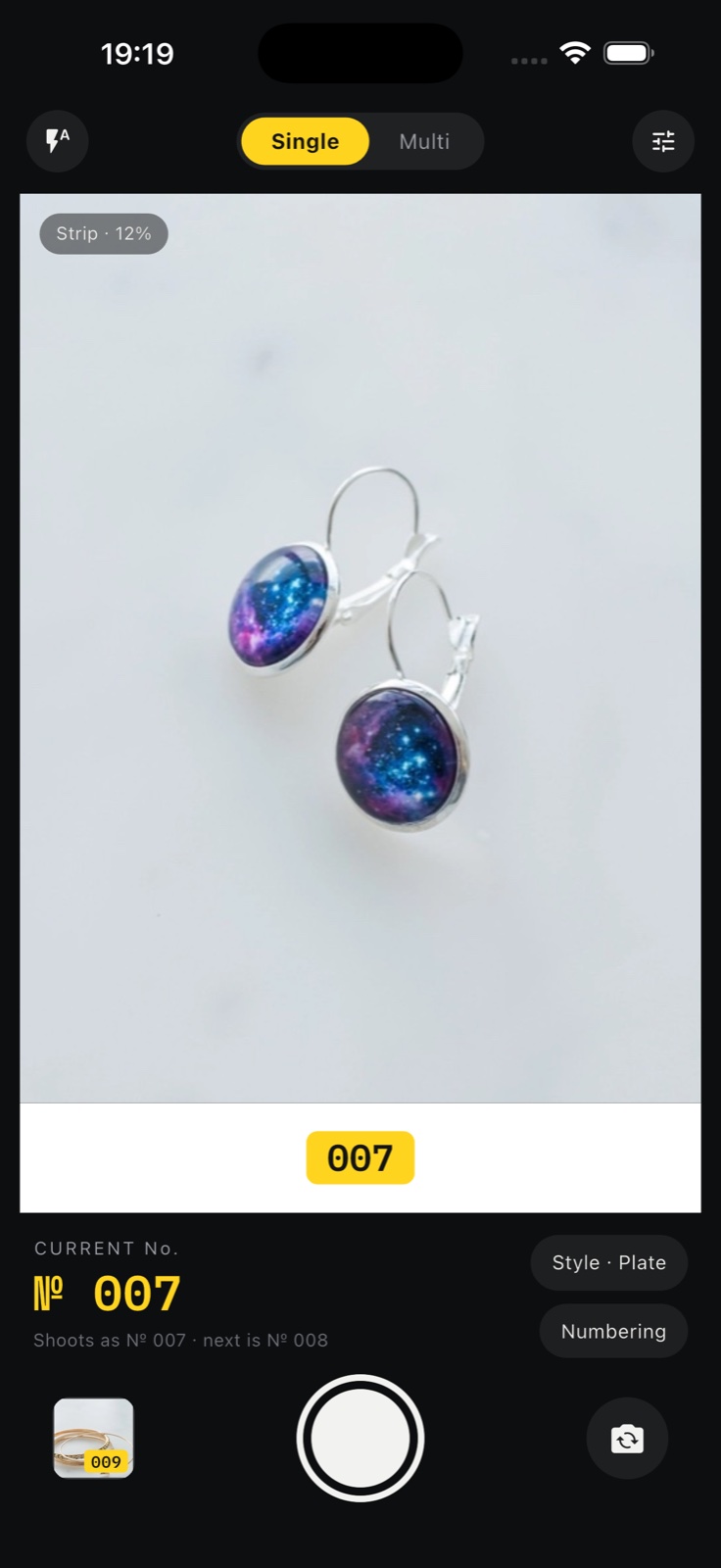
The number is rendered into the photo the moment you press the shutter. What you see in the viewfinder is exactly what you get.
Exports arrive as A-001.jpg — the same number that is on the photo. Transfer to your computer and skip renaming entirely.
One shot per item auto-advances the number. Several shots of one item get sub-numbers: 007-1, 007-2, 007-3.
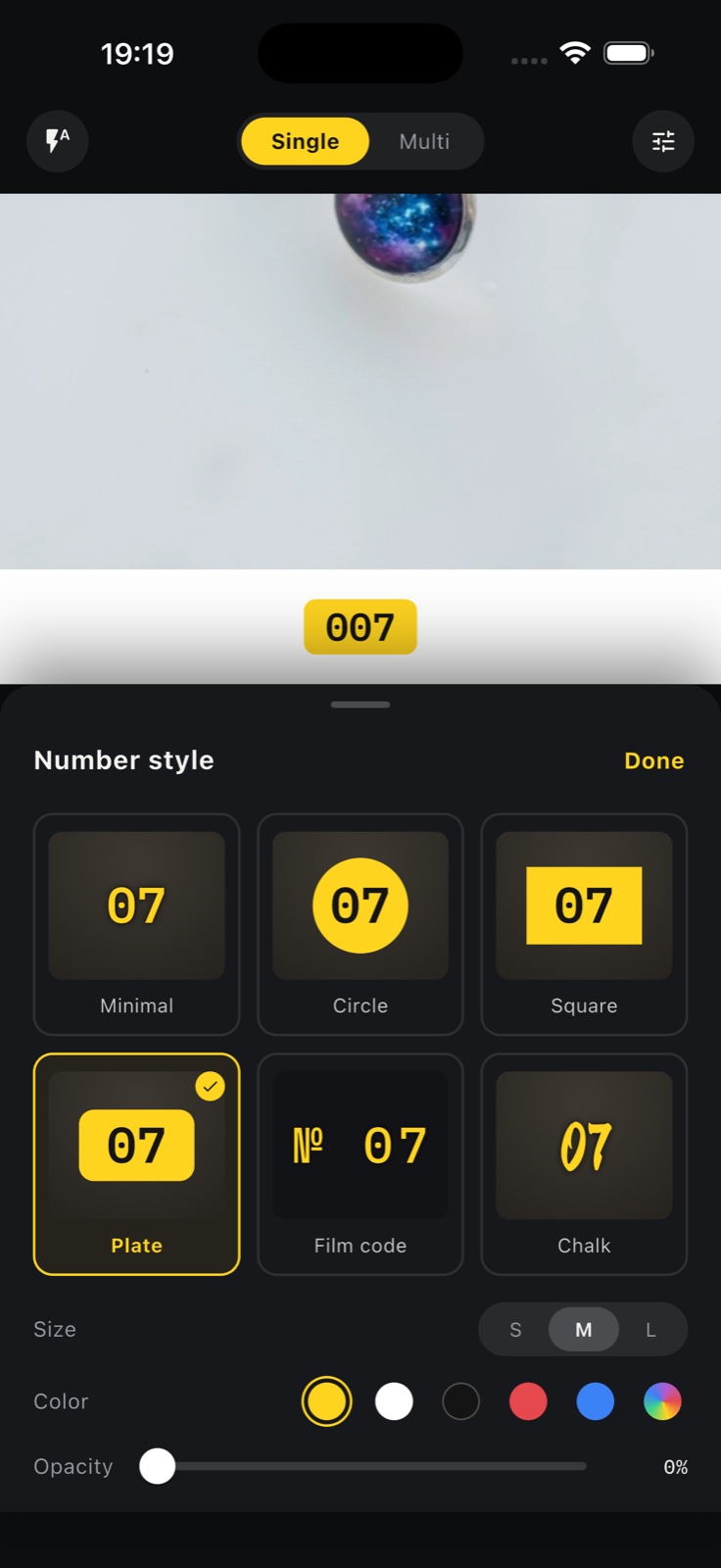
Bottom strip height is continuously adjustable from 5% to 25% — or overlay the number on the photo. Styles, size, color and opacity are all yours to mix.
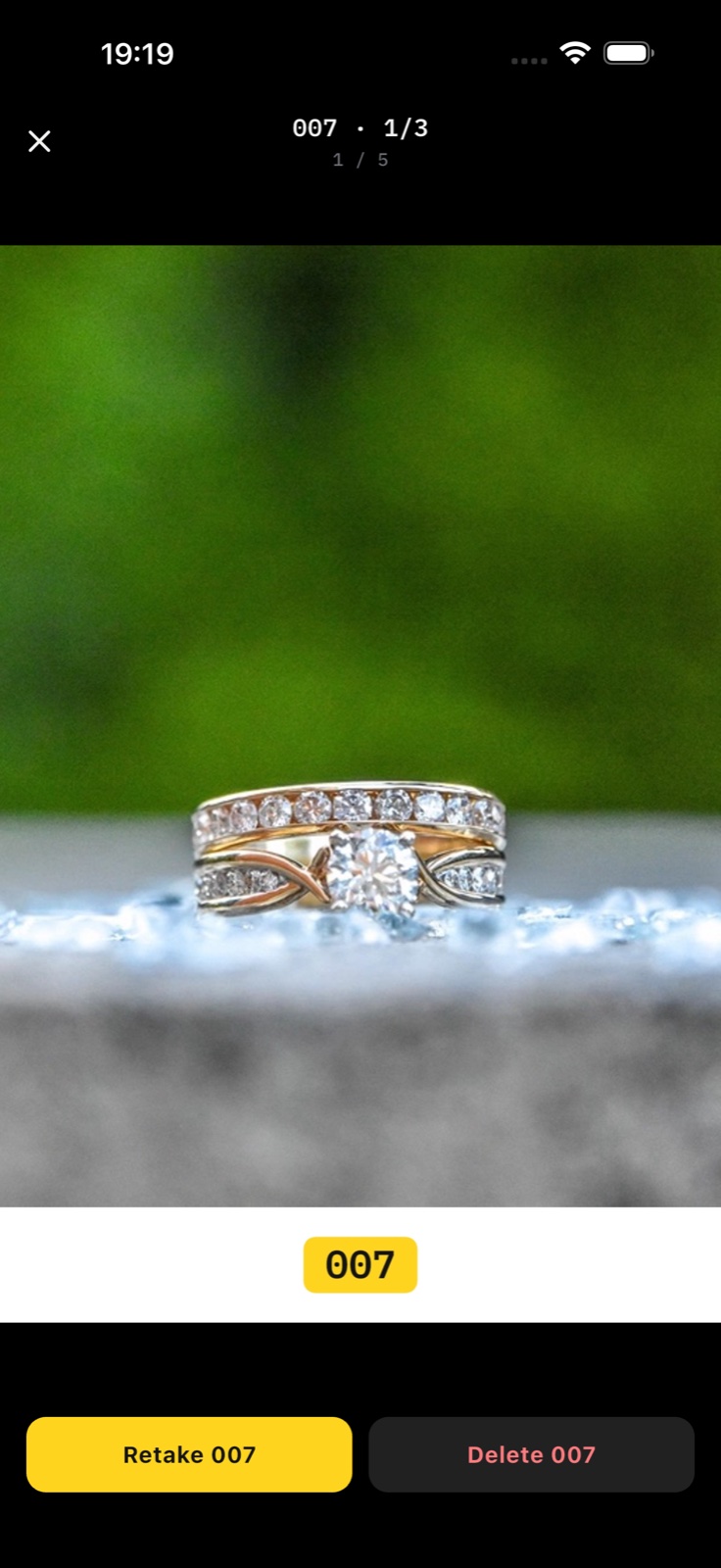
Wrong shot? Retake any number — later numbers stay untouched, so the sequence never drifts.
Start number, prefix, suffix, zero padding: build labels like A-001-red that match how your store actually works.
How it works
The next number is already visible on the viewfinder — live preview, true WYSIWYG.
Next item, next number. Multi mode adds sub-numbers for extra angles of the same item.
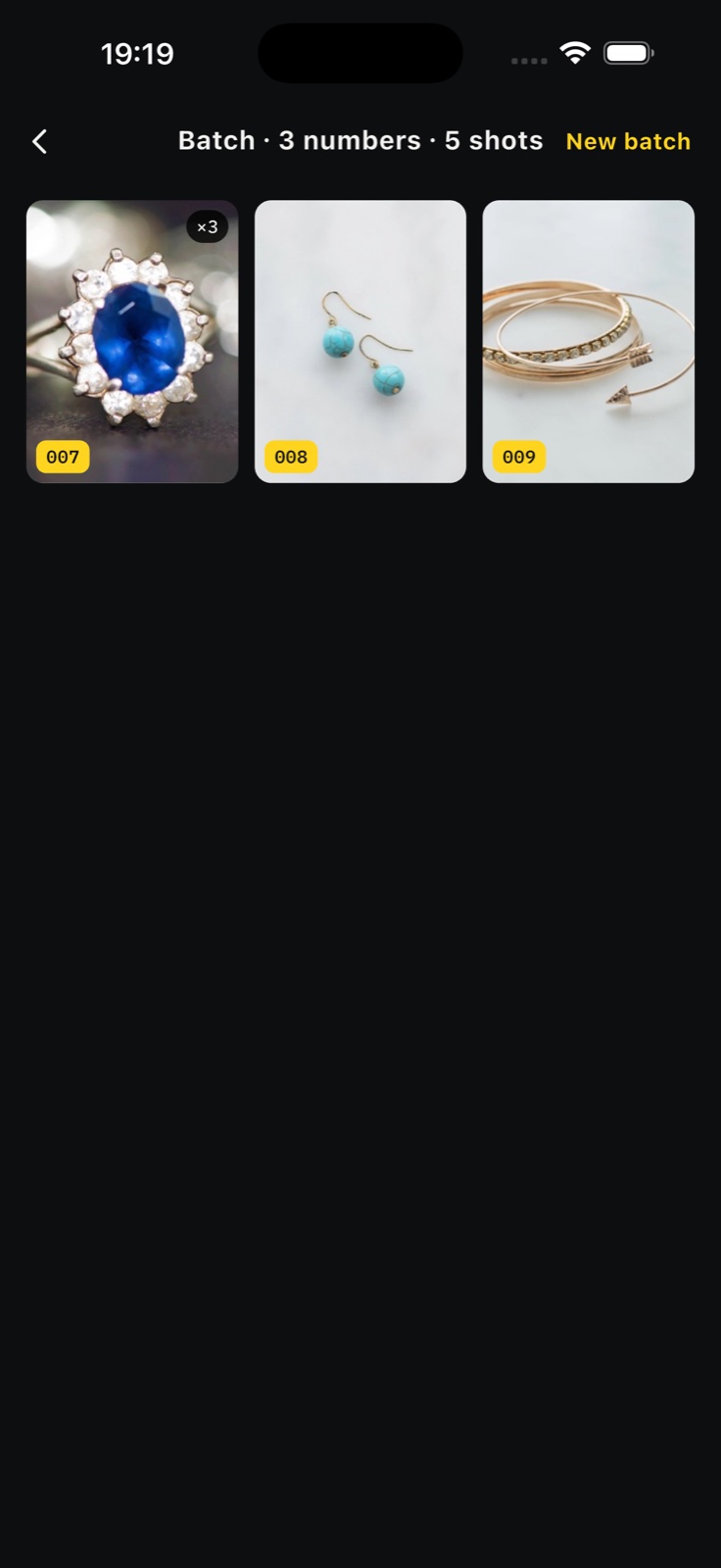
Shots grouped by number; tap any photo to inspect it full screen, retake or remove.
Photos land in a “Numbered Camera” album with file names that match their numbers.
Numbered Camera has no network capability at all — no account, no analytics, no cloud. Buy once, use forever.
FAQ
No. The app works fully offline, requires no account, and collects no data. Photos never leave your phone.
The number you see in the viewfinder is rendered into the photo when you press the shutter. Single mode advances the number every shot; Multi mode adds sub-numbers like 007-1, 007-2 for several shots of one item.
Start number, prefix, suffix and zero padding are all configurable — labels like A-001-red work fine. Six visual styles with adjustable size, color, opacity and placement.
By default the number sits on a strip added below the photo (5%–25%, continuously adjustable), keeping the product clear. You can also overlay it on the photo.
Retake any number at any time — later numbers are unaffected, so the sequence never breaks.
The file name matches the number burned into the photo — e.g. A-001.jpg — so there is nothing to rename after transfer.
Anyone who photographs many items in one sitting: resellers on eBay, Poshmark, Depop, Mercari and Vinted; wholesale and trade sellers; estate, antique and auction sellers; and teams doing inventory or warehouse photos.
It's a one-time purchase on the App Store — US$9.99, with local prices set by Apple in each region. No subscription and no in-app purchases. An Android version on Google Play is coming soon.